【無料】朧月 -Oborozuki Shader- 平面月なのに超綺麗にできるやつ #NiAkaDev
- ダウンロード商品無料¥ 0無料ダウンロードOborozuki_v1.0.0.zip(5.17 MB)Oborozuki_v1.0.0.zip
- ダウンロード商品にあちゃんを応援(内容は同じです)¥ 300
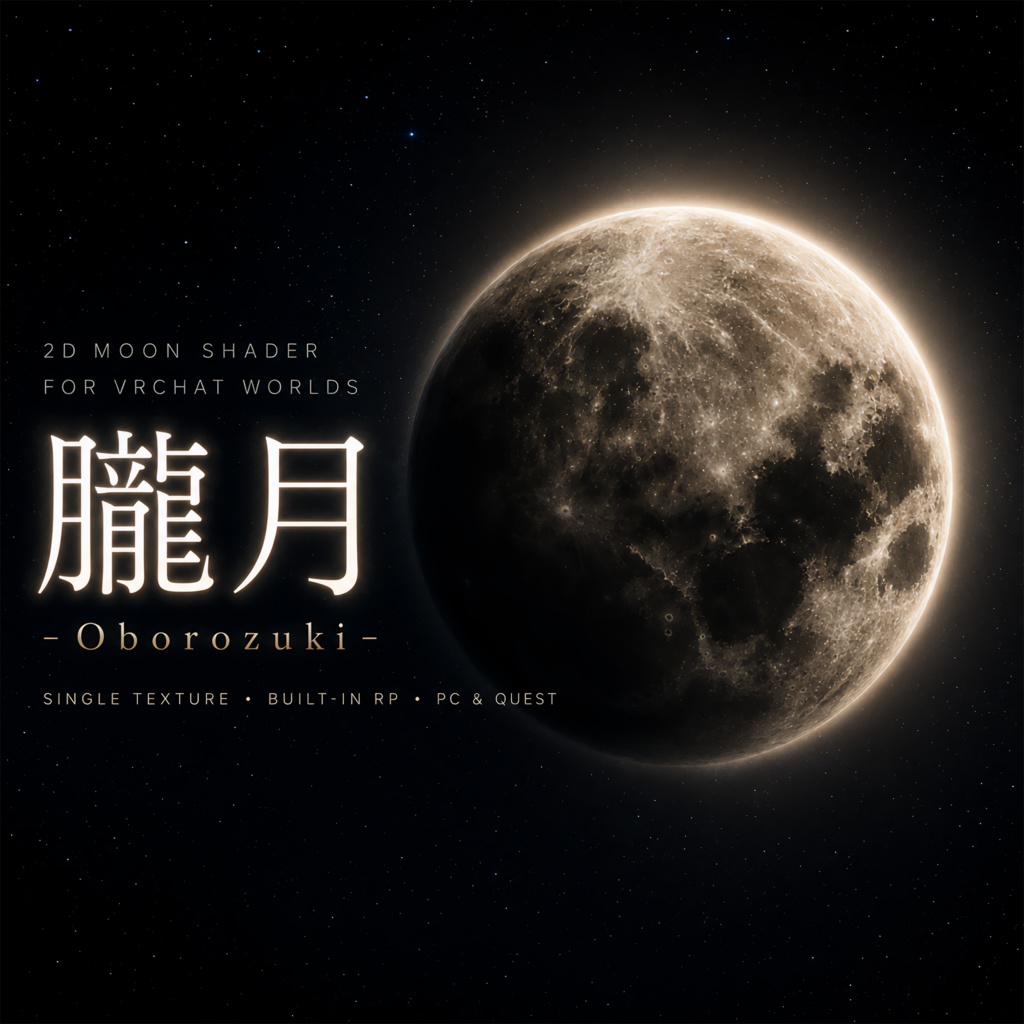
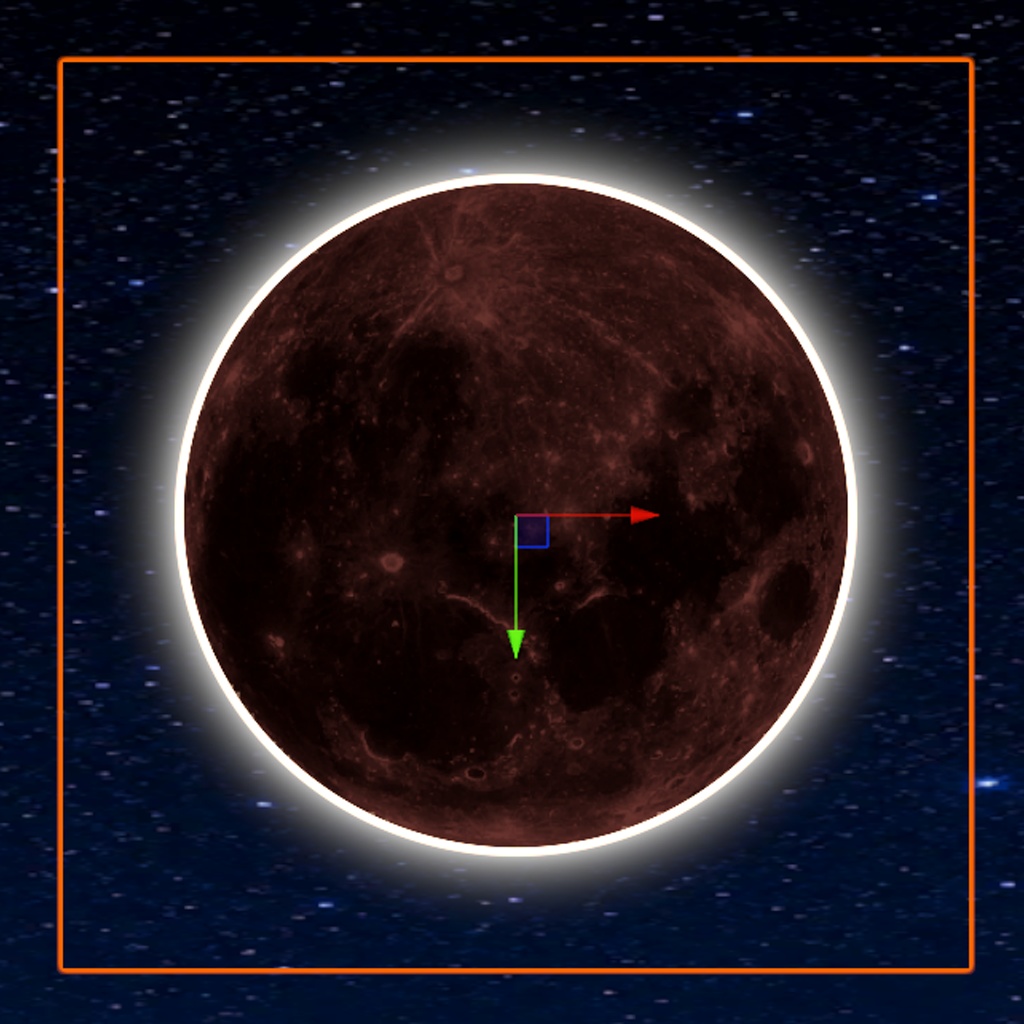
🌕 Oborozuki -朧月 2D Moon Shader- 🌙 VRChatワールド向けに、やわらかく背景になじむ「月」を置くためのUnityシェーダーです。 Oborozuki(朧月)は、霞や光のにじみで輪郭がやわらかく見える月をイメージした、無料で使える2D月シェーダーです。 透過済みの月テクスチャをQuadに貼って使う前提で設計しており、Premultiplied Alphaによって背景との境界をなめらかに表現できます。 皆既日食のような細い光輪や、月の裏側から光がにじむようなHalo / Corona表現にも対応しています。 ✅ やわらかい月の輪郭表現 ✅ 皆既日食風のHDR Halo / Corona ✅ 月相・三日月風のPhase表現 ✅ Quadに貼るだけで使えるPrefab付き ✅ PC / Quest向けの軽量表示に対応 ✅ 日本語 / English / 한국어 / 简体中文 対応のカスタムInspector など、VRChatワールドの空や背景演出に使いやすい月シェーダーです。 同梱Prefabをシーンに置くだけで、すぐにサンプルの月を配置できます。 パラメーターは専用Inspectorから調整でき、各項目にはツールチップと「おすすめ設定にリセット」ボタンを用意しています。 強い光のにじみ表現には、VRChat Camera Bloom / Post Processing の使用をおすすめします。 特にHalo / Coronaを綺麗に見せるには、BloomのIntensityやThresholdなどを適切に設定することが重要です。 同梱サンプルシーンにはPost Processing / Bloomの設定例を用意しているので、まずはサンプルシーンの見え方と設定を参考にしてください。 サンプルシーンも同梱していますが、床・Skyboxテクスチャは軽量な512x512のプレビュー用素材です。 本番背景素材ではなく、シェーダーの見え方確認用としてご利用ください。 📩 不具合報告やご要望はBOOTHメッセージ、または X(Twitter): @niaka3vrc までお気軽にどうぞ。 ハッシュタグ #NiAkaDev での活用報告もお待ちしています! --- 🌕 Oborozuki - 2D Moon Shader - A Unity shader for placing soft, atmospheric moons in VRChat worlds. Oborozuki is a free 2D moon shader inspired by a hazy moon whose edge is softened by mist or light bloom. It is designed for transparent RGBA moon textures on Quads, using premultiplied alpha to blend the moon edge smoothly into the background. It also supports eclipse-inspired Halo / Corona effects, making it possible to create a glowing rim or a “light leaking from behind the moon” look. ✅ Soft moon edges with transparent textures ✅ HDR Halo / Corona inspired by solar eclipse photography ✅ Phase / crescent-style moon shading ✅ Ready-to-use Quad prefabs included ✅ PC / Quest-friendly shader setup ✅ Custom Inspector with Japanese / English / Korean / Simplified Chinese support You can simply drag the included prefab into your scene and start adjusting the look from the custom Inspector. For stronger glow effects, using VRChat Camera Bloom / Post Processing is recommended. To make the Halo / Corona look beautiful, proper Bloom settings such as Intensity and Threshold are important. The included sample scene contains an example Post Processing / Bloom setup, so please use its look and settings as a reference. The included sample scene uses lightweight 512x512 preview textures for the floor and skybox. They are intended for checking the shader appearance, not as production-quality environment textures. For bug reports or feature requests, please contact me through BOOTH message or X(Twitter): @niaka3vrc.
■ 機能一覧 / Features
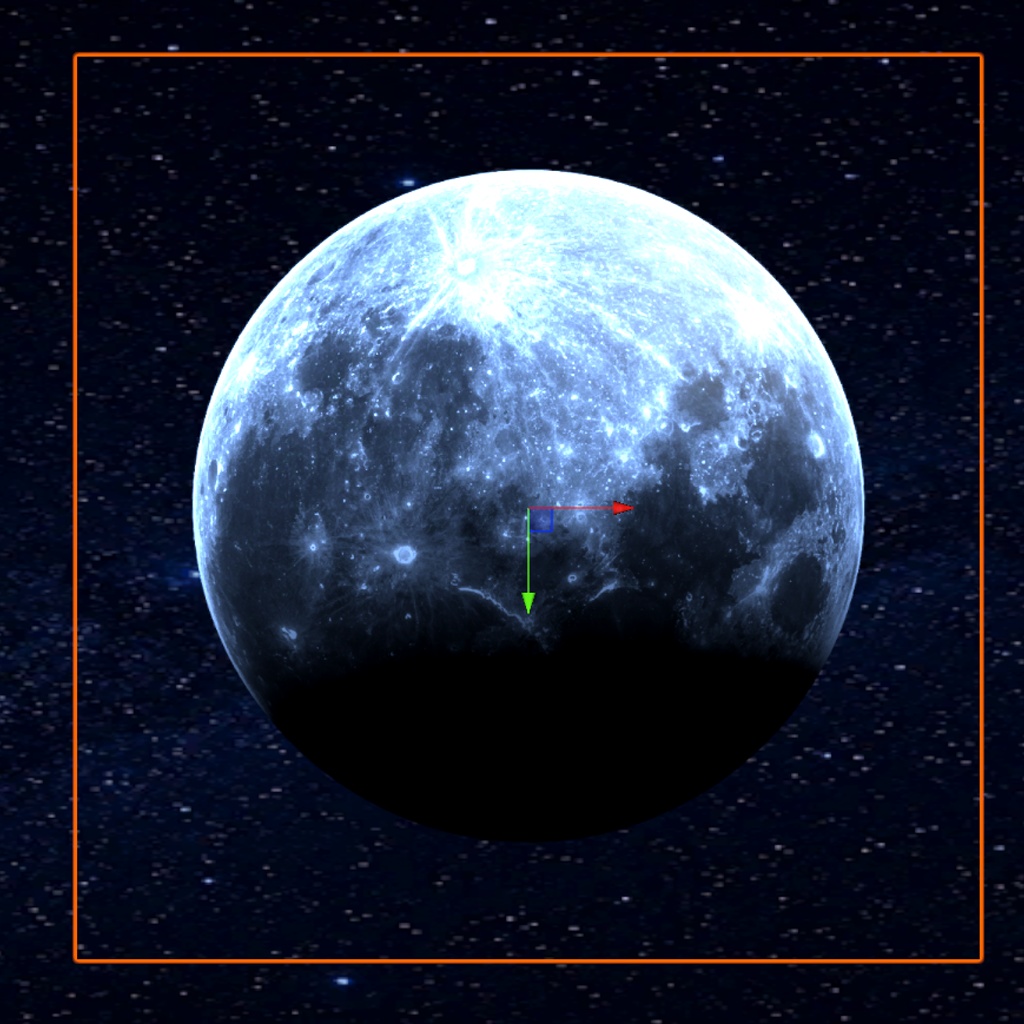
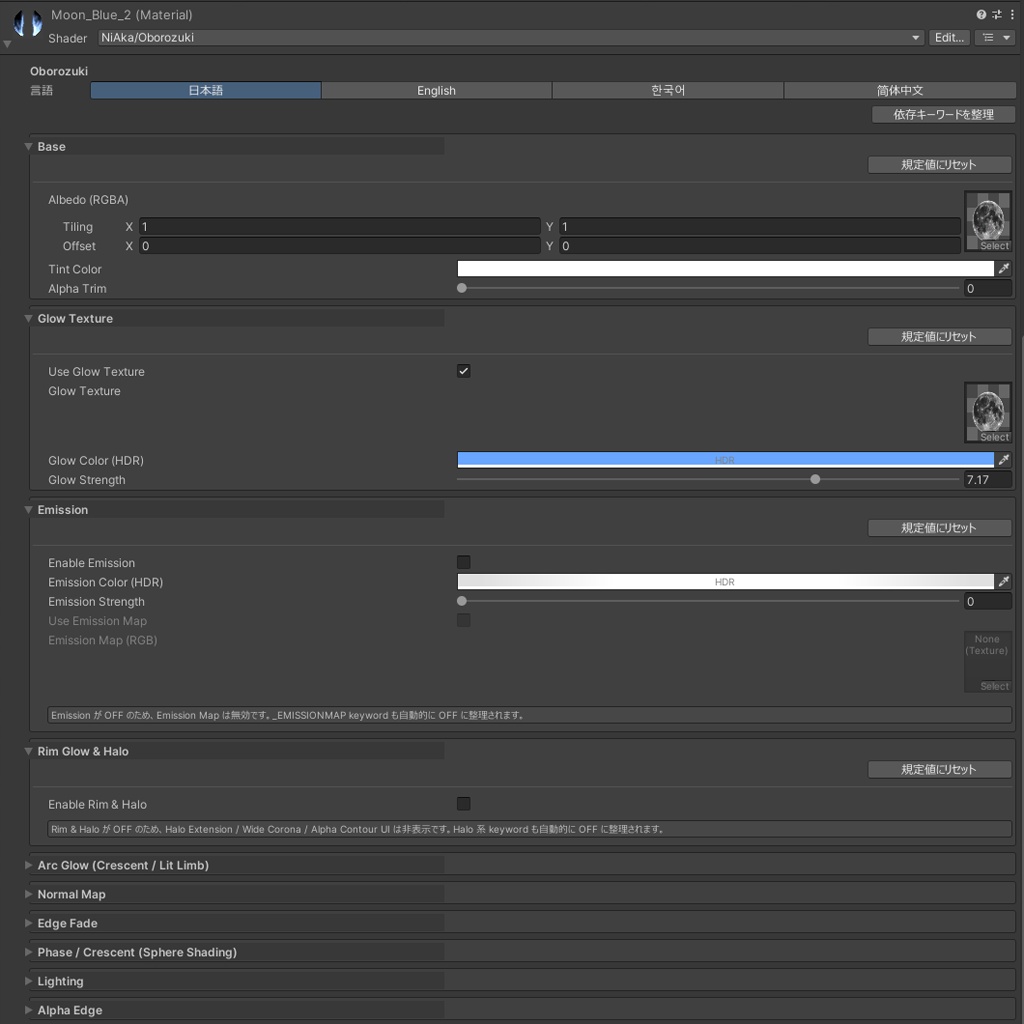
✨ Premultiplied Alpha 透明 透過済みRGBA月テクスチャをQuadに貼ったとき、背景との境界をなめらかになじませます。 ✨ HDR Halo / Corona 細い光輪と広いCoronaの2層構造で、皆既日食のような光のにじみを表現できます。 ✨ Mesh Extrude 頂点シェーダーでQuadを拡張し、月画像の外側にもHaloを描画できる余白を作ります。 ✨ Phase / Crescent Shading 満月、半月、三日月、地球照風など、月相・三日月表現を調整できます。 ✨ Glow / Emission / Arc Glow 月本体の発光、追加Glow Texture、角度ベースの三日月状Arc表現に対応しています。 ✨ Normal Map / Edge Fade クレーター風の凹凸表現や、円形のやわらかいフェードを設定できます。 ✨ Lighting Integration PC向けに VRC Light Volumes と Bakery SH / RNM / MonoSH / LMSpec に対応しています。 ※任意機能です。必要なパッケージが未導入の場合はOFFのまま使用してください。 ✨ Quest LITE Quest向けには重いライティング機能を抑えた軽量SubShaderを用意しています。 ✨ カスタムInspector 11個の折りたたみセクション、ツールチップ、セクションごとのリセットボタンを備えています。 ✨ 多言語Inspector 日本語 / English / 한국어 / 简体中文 の表示切り替えに対応しています。 ✨ Bloom設定つきサンプルシーン Halo / Coronaを綺麗に見せるためのPost Processing / Bloom設定例を含むサンプルシーンを同梱しています。 --- ✨ Premultiplied Alpha Transparency Smoothly blends transparent RGBA moon textures on Quads into the background. ✨ HDR Halo / Corona A two-layer halo system, with a thin bright ring and a wider corona, for eclipse-inspired glow effects. ✨ Mesh Extrude Expands the Quad in the vertex shader to create extra space for halo outside the moon image area. ✨ Phase / Crescent Shading Supports full moon, half moon, crescent, and earthshine-like looks. ✨ Glow / Emission / Arc Glow Includes moon emission, additive glow texture, and angle-based crescent arc glow controls. ✨ Normal Map / Edge Fade Supports crater-like relief with normal maps and soft circular edge fading. ✨ Lighting Integration Supports VRC Light Volumes and Bakery SH / RNM / MonoSH / LMSpec on PC. These are optional features; keep them disabled if the required packages are not installed. ✨ Quest LITE Includes a lightweight Quest SubShader with heavier lighting features stripped. ✨ Custom Inspector Provides 11 collapsible sections, tooltips, and per-section reset buttons. ✨ Multilingual Inspector Supports Japanese / English / Korean / Simplified Chinese UI switching. ✨ Sample Scene with Bloom Reference Includes a sample scene with example Post Processing / Bloom settings for making the Halo / Corona look beautiful.
■ 使い方 / How to Use
1. BOOTHから .unitypackage をダウンロードします。 2. Unityプロジェクトへインポートします。 Assets/NiAka/Contents/Oborozuki/ に展開されます。 3. Prefabs フォルダ内の Moon_Gold_1、Moon_Blue_1、Moon_SolarEclipse などのPrefabをシーンにドラッグします。 4. マテリアルのInspectorで、Halo / Phase / Glow / Lighting などの項目を調整します。 5. 強い光のにじみを確認したい場合は、Game ViewでCamera Bloom / Post Processingを有効にしてください。 Halo / Coronaを綺麗に見せるには、BloomのIntensityやThresholdなどの設定が適切である必要があります。 同梱サンプルシーンに設定例を用意しているので、まずはサンプルシーンのCamera / Post Processing設定を参考にしてください。 Scene ViewではPost Processingが無効になっていることがあり、HDR Bloomの見え方を正しく確認できません。 [Optional] PC向けにVRC Light Volumesを使う場合は、red.sim.lightvolumes パッケージを導入してから該当項目をONにしてください。 未導入の場合はOFFのまま使用してください。 [Steps] 1. Download the .unitypackage from BOOTH. 2. Import it into your Unity project. It will be placed under Assets/NiAka/Contents/Oborozuki/. 3. Drag one of the included prefabs, such as Moon_Gold_1, Moon_Blue_1, or Moon_SolarEclipse, into your scene. 4. Adjust Halo / Phase / Glow / Lighting settings from the material Inspector. 5. To preview strong glow effects, enable Camera Bloom / Post Processing and check in Game View. To make the Halo / Corona look beautiful, Bloom settings such as Intensity and Threshold need to be set appropriately. The included sample scene provides an example setup, so please refer to its Camera / Post Processing settings first. Scene View may not show HDR Bloom correctly because Post Processing is often disabled there. [Optional] If you want to use VRC Light Volumes on PC, install the red.sim.lightvolumes package before enabling the option. Keep it disabled when the package is not installed.
■ 動作確認環境 / Tested Environment
✅ Unity 2022.3.22f1 ✅ Unity Built-in Render Pipeline ✅ VRChat Worlds向け想定 ✅ PC / Quest向けSubShader構成 サンプルシーンをそのまま開く場合は、VRChat Worlds SDK、Unity UI(UGUI)、Input System、Post Processing が入ったVCC Worldプロジェクトでの利用をおすすめします。 綺麗なHalo / Corona表現にはPost ProcessingのBloom設定が重要です。サンプルシーンのCamera / Post Processing設定を参考に調整してください。 VRC Light Volumes / Bakery 連携は任意機能です。必要なパッケージやベイク環境がない場合はOFFのままご利用ください。 --- ✅ Unity 2022.3.22f1 ✅ Unity Built-in Render Pipeline ✅ Intended for VRChat Worlds ✅ PC / Quest SubShader setup To open the included sample scene as-is, using a VCC World project with VRChat Worlds SDK, Unity UI (UGUI), Input System, and Post Processing is recommended. Proper Post Processing Bloom settings are important for beautiful Halo / Corona effects. Please use the sample scene's Camera / Post Processing settings as a reference. VRC Light Volumes / Bakery integrations are optional. Keep them disabled if the required packages or bake setup are not available.
■ 利用規約 / Terms of Service
Oborozuki は zlib ライセンスに2つの追加制限を加えた条件で公開しています。 詳しくは同梱の LICENSE.md をご確認ください。 ✅ VRChatワールド、VRChatアバター、Unityプロジェクト、ゲーム等で使用できます。 ✅ 個人利用・商用利用どちらも可能です。 ✅ 改変して使用できます。 ✅ クレジット表記は推奨ですが必須ではありません。 ⚠️ 本シェーダーを単体のシェーダーパッケージ、アセットパック、ライブラリとして再配布することは禁止です。 VRChatワールド・アバター・完成したUnityプロジェクト・ゲームビルド等、より大きな最終成果物に組み込んだ形でのみ再配布できます。 ⚠️ NFT、ブロックチェーン資産、暗号通貨、その他Web3関連製品での使用は禁止です。 ⚠️ 本シェーダーの使用によるトラブル・損害について、作者は責任を負いかねます。 ⚠️ Unity、VRChat SDK、各種外部パッケージのアップデートにより仕様変更が生じた場合、可能な範囲でサポートを行いますが、完全な動作保証は致しかねます。 --- Oborozuki is provided under the zlib license with two additional restrictions. Please see the included LICENSE.md for the full license text. ✅ You may use it in VRChat worlds, VRChat avatars, Unity projects, games, and similar works. ✅ Personal and commercial use are allowed. ✅ Modification is allowed. ✅ Credit is appreciated but not required. ⚠️ Standalone redistribution is prohibited. You may not redistribute this shader as a separately downloadable shader package, asset pack, or library. Redistribution is permitted only when it is incorporated into a larger end-product, such as a VRChat world, avatar, finished Unity project, or game build. ⚠️ Use in connection with NFTs, blockchain assets, cryptocurrency, or related Web3 products is prohibited. ⚠️ The author is not responsible for any trouble or damage caused by the use of this shader. ⚠️ While support may be provided where possible for changes caused by Unity, VRChat SDK, or external package updates, full operation is not guaranteed.
■ 更新履歴 / Change Log
🔄 v1.0.0 (2026/05/06) ・初回リリース / Initial Release ・Oborozuki -朧月 2D Moon Shader- を公開しました。 ・Unity Built-in Render Pipeline 向けの2D月シェーダーを追加しました。 ・PC / Quest向けSubShaderを同梱しました。 ・Premultiplied Alphaによるやわらかい透明表現に対応しました。 ・HDR Halo / Corona による皆既日食風の光輪表現を追加しました。 ・Phase / Crescent Shading による月相・三日月表現を追加しました。 ・Glow Texture、Emission、Arc Glow、Normal Map、Edge Fade に対応しました。 ・PC向けの VRC Light Volumes / Bakery 連携を追加しました。 ・11セクション構成のカスタムInspectorを追加しました。 ・日本語 / English / 한국어 / 简体中文 のInspector表示切り替えに対応しました。 ・Moon_Gold、Moon_Blue、Moon_SolarEclipse などのサンプルPrefab / Materialを同梱しました。 ・サンプルシーンと軽量プレビュー用の床・Skyboxテクスチャを同梱しました。 ・zlibライセンス + 追加制限(単体再配布禁止、NFT/Web3用途禁止)で無料配布しました。 Released Oborozuki - 2D Moon Shader. Added a 2D moon shader for Unity Built-in Render Pipeline. Included PC / Quest SubShader setup. Added soft transparent rendering with premultiplied alpha. Added HDR Halo / Corona for eclipse-inspired glow effects. Added Phase / Crescent Shading for moon phase and crescent looks. Added Glow Texture, Emission, Arc Glow, Normal Map, and Edge Fade controls. Added optional VRC Light Volumes / Bakery integration for PC. Added a custom Inspector with 11 sections. Added Inspector language switching for Japanese / English / Korean / Simplified Chinese. Included sample prefabs and materials such as Moon_Gold, Moon_Blue, and Moon_SolarEclipse. Included a sample scene and lightweight preview floor / skybox textures. Released as a free asset under the zlib license with additional restrictions: no standalone redistribution and no NFT/Web3 use.