【無料】EzMirror 簡単設定・全部できる!VRCワールド向けミラー -指で押せる・距離フェード・LQ切替・シングルオブジェクト式・エディタ充実 - #NiAkaDev
- ダウンロード商品無料¥ 0無料ダウンロードEzMirror-1.1.1.zip(3.92 MB)EzMirror-1.1.1.zip
- ダウンロード商品にあちゃんを応援(内容は同じです)¥ 300
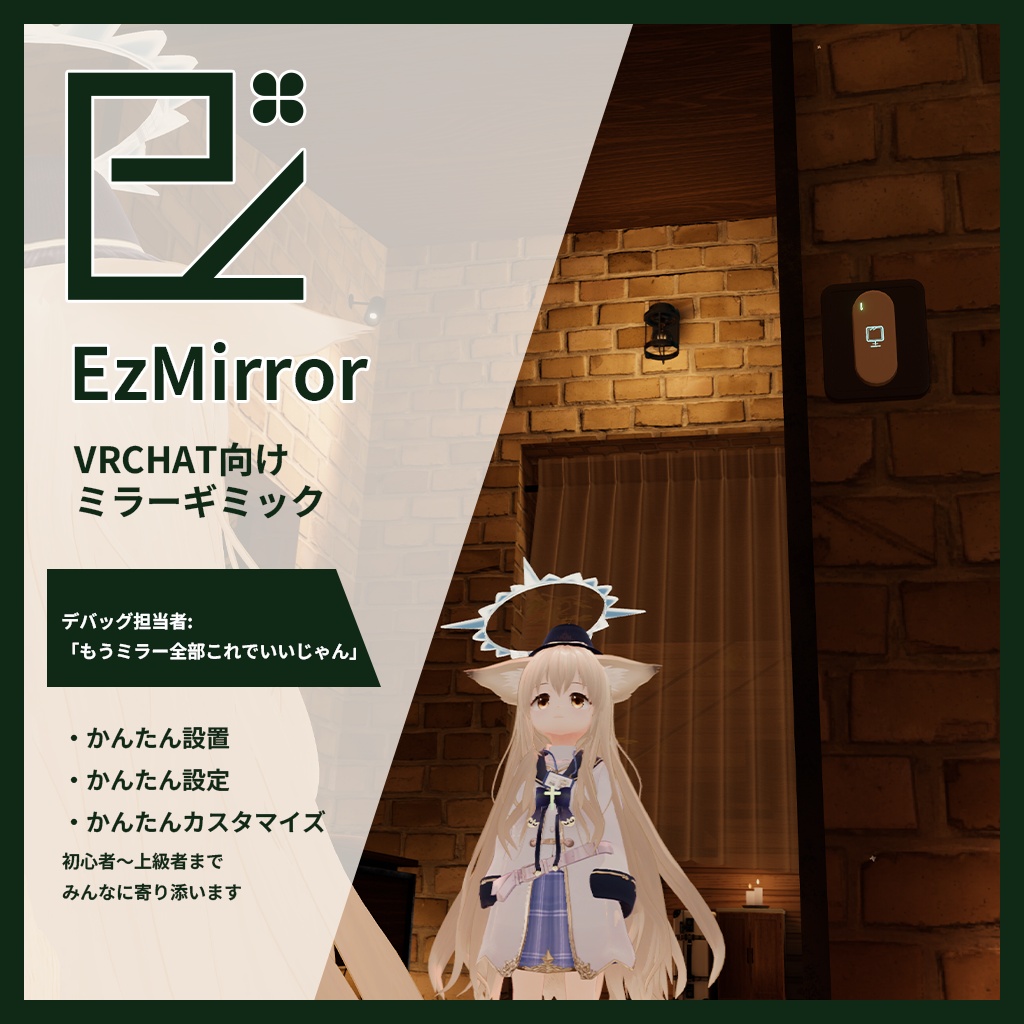
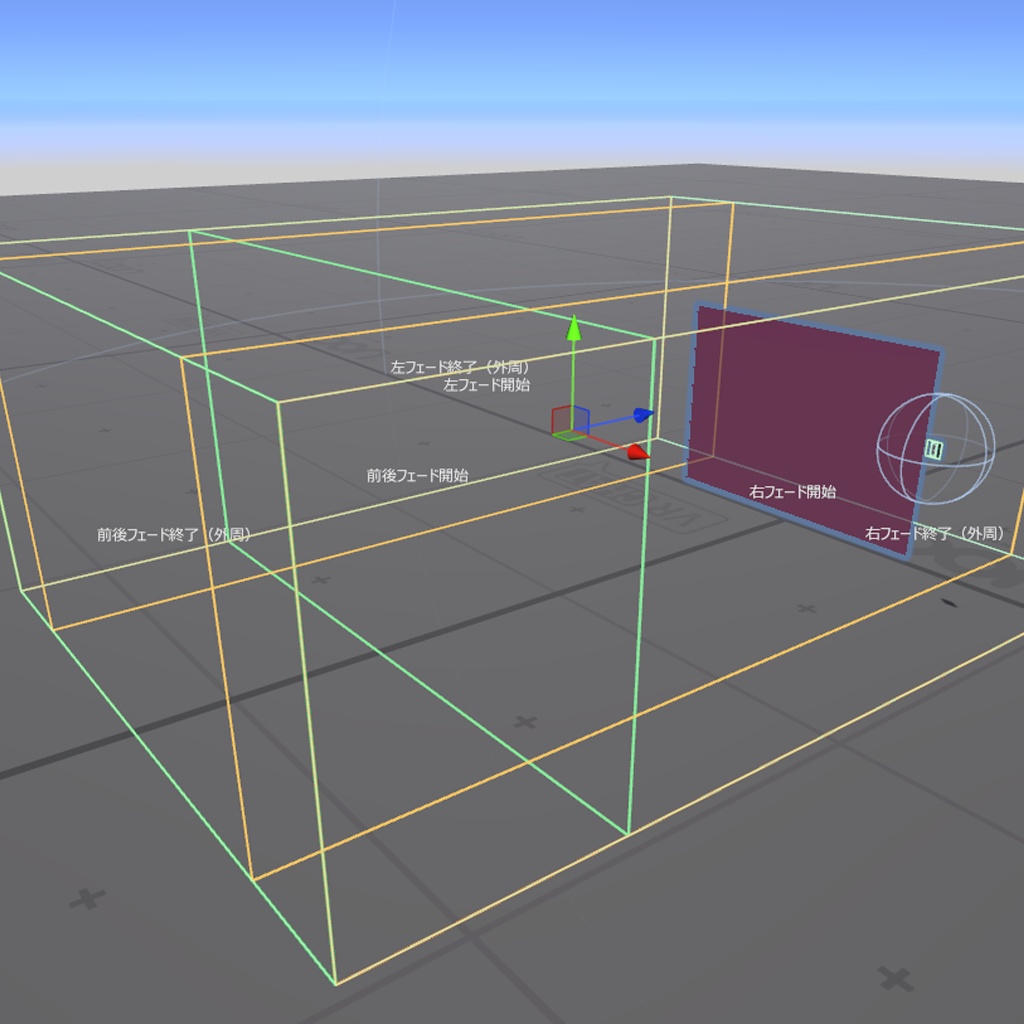
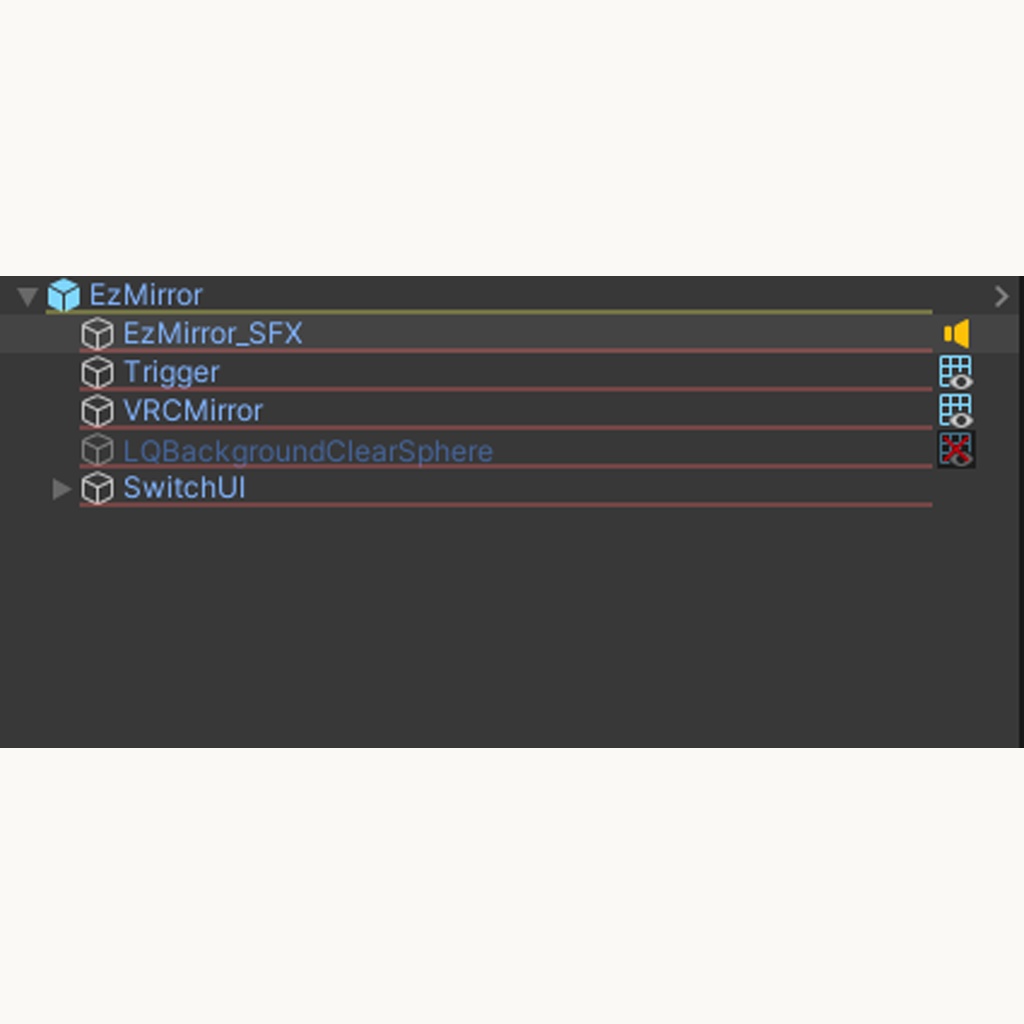
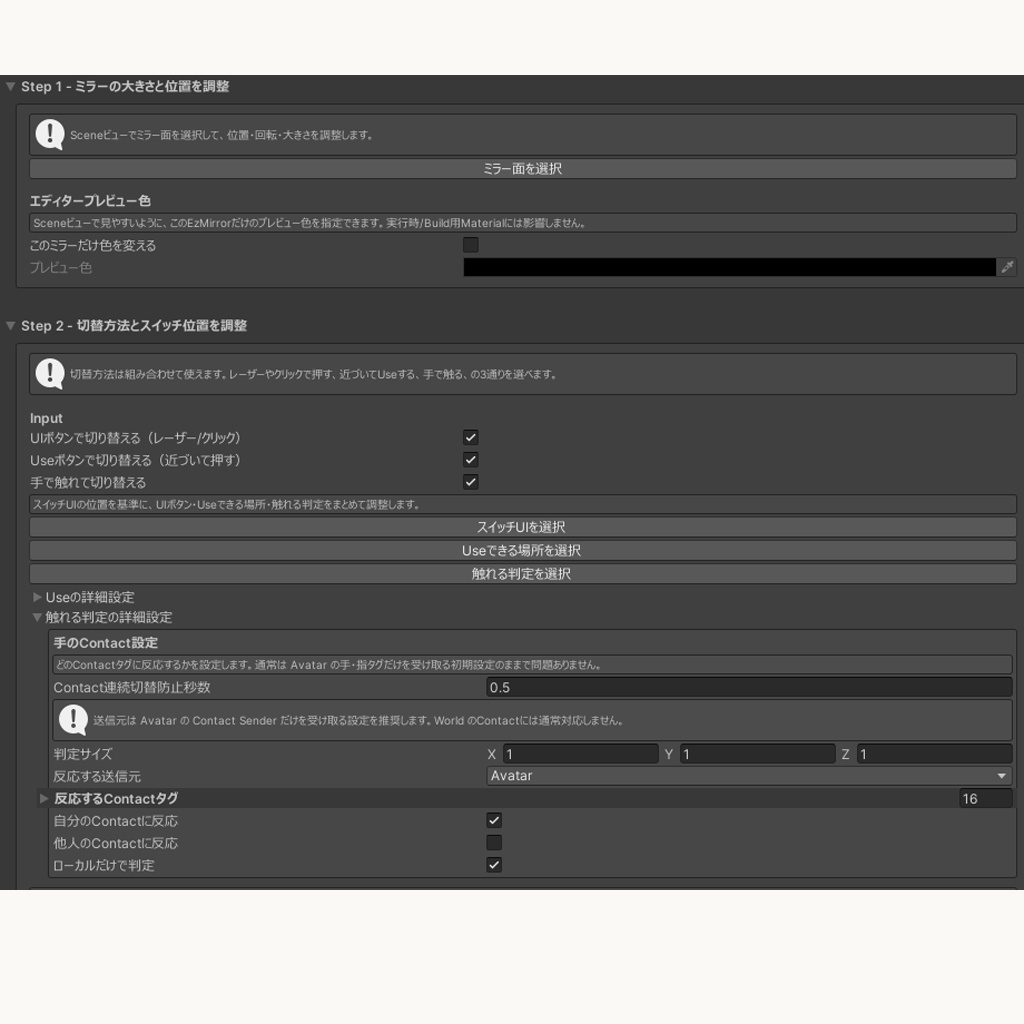
EzMirror - VRChat ワールド向けミラーギミック 「EzMirror」は、【かんたん設置・かんたん設定・かんたんカスタマイズ】を合言葉にした「NiAka Ez シリーズ」のワールド向けミラーギミックです。 設定項目は EzMirror の設定画面に集約しています。 画面の説明に沿って進めるだけで、オフ / 高画質 / 半透明 / 低負荷 などの基本設定を行えます。 プレイヤーだけ表示、半透明表示、フェード距離の調整など、VRChat のミラーでよく使う機能をひとつにまとめました。 ミラーの種類ごとにオブジェクトを増やすのではなく、ひとつのミラーオブジェクトで設定を切り替える方式です。 階層を増やしすぎず、ワールド内のミラーを管理しやすくできます。 フェード距離用マテリアルを自動生成し、表示範囲外ではミラーを自動で非表示にします。 設置しやすさと不要なミラー負荷の抑制を両立できます。 エディタ上では好きなプレビュー色でミラー面を表示でき、位置や大きさを確認しながら設置できます。 初期設定済みのオリジナル 3D スイッチモデルを同梱しています。 そのまま使うことも、ワールドに合わせてカスタマイズすることもできます。 導入は、VCC / ALCOM に VPM リポジトリを追加して使う方法を強くおすすめします。 VPM リポジトリ: https://vpm.2aka.io/ BOOTH ダウンロード版には .unitypackage と、 リポジトリ追加用ショートカットを同梱しています。 BOOTHショップ NiAka堂: https://niaka.booth.pm/ サムネイルに写っているアバター: - オリジナル 3D モデル『銀杏』(制作: 長門みらい 様) https://mtshop.booth.pm/items/5331716 EzMirror のサンプルが見られるワールド: - Amayadokari -あまやどかり-(制作: NiAka) https://vrchat.com/home/launch?worldId=wrld_4a41c522-fc84-4cc0-aee4-ab2fddee73f1 制作協力: 3Dモデル制作 - 針ネズミ 様 X(Twitter): https://x.com/harinezumi2001 デバッグ協力 - 針ネズミ 様 X(Twitter): https://x.com/harinezumi2001 - らぱん伯爵 様 X(Twitter): https://x.com/lapin_the3rd - 汐音ノア 様 X(Twitter): https://x.com/Nonkey_ff14 不具合報告やご要望は BOOTH メッセージ、または X(Twitter): @niaka3vrc までお願いします。 --- EzMirror - Mirror Gimmick for VRChat Worlds EzMirror is a mirror gimmick for VRChat worlds in the NiAka Ez Series, built around easy placement, easy setup, and easy customization. The main settings are centralized in the EzMirror Inspector. Follow the guidance to complete the basic setup. EzMirror brings together common VRChat mirror needs, such as player-only display, semi-transparent display, and easier fade-distance adjustment. Instead of adding a separate object for each mirror type, EzMirror updates the state of one mirror object. This keeps the hierarchy easier to manage while still letting you use multiple mirror profiles. EzMirror automatically generates fade-distance materials and hides the mirror when users leave the display range. This helps balance easy placement with reduced unnecessary mirror load. In the editor, the mirror surface can be shown in a custom preview color, making its position and size easier to check while placing it. A preconfigured original 3D switch model is included. Use it as-is, or customize it for your world. For installation, using the VPM repository with VCC or ALCOM is strongly recommended. VPM repository: https://vpm.2aka.io/ The BOOTH download includes a .unitypackage and a shortcut for adding the repository. BOOTH shop NiAka堂: https://niaka.booth.pm/ Avatar shown in the thumbnail: - Original 3D Model "銀杏" by 長門みらい https://mtshop.booth.pm/items/5331716 EzMirror sample world: - Amayadokari -あまやどかり- by NiAka https://vrchat.com/home/launch?worldId=wrld_4a41c522-fc84-4cc0-aee4-ab2fddee73f1 Credits: 3D model production - 針ネズミ (@harinezumi2001) X(Twitter): https://x.com/harinezumi2001 Debug support - 針ネズミ (@harinezumi2001) X(Twitter): https://x.com/harinezumi2001 - らぱん伯爵 (@lapin_the3rd) X(Twitter): https://x.com/lapin_the3rd - 汐音ノア (@Nonkey_ff14) X(Twitter): https://x.com/Nonkey_ff14 For bug reports or feature requests, please contact me via BOOTH messages or X(Twitter): @niaka3vrc.
主な機能 / Main features
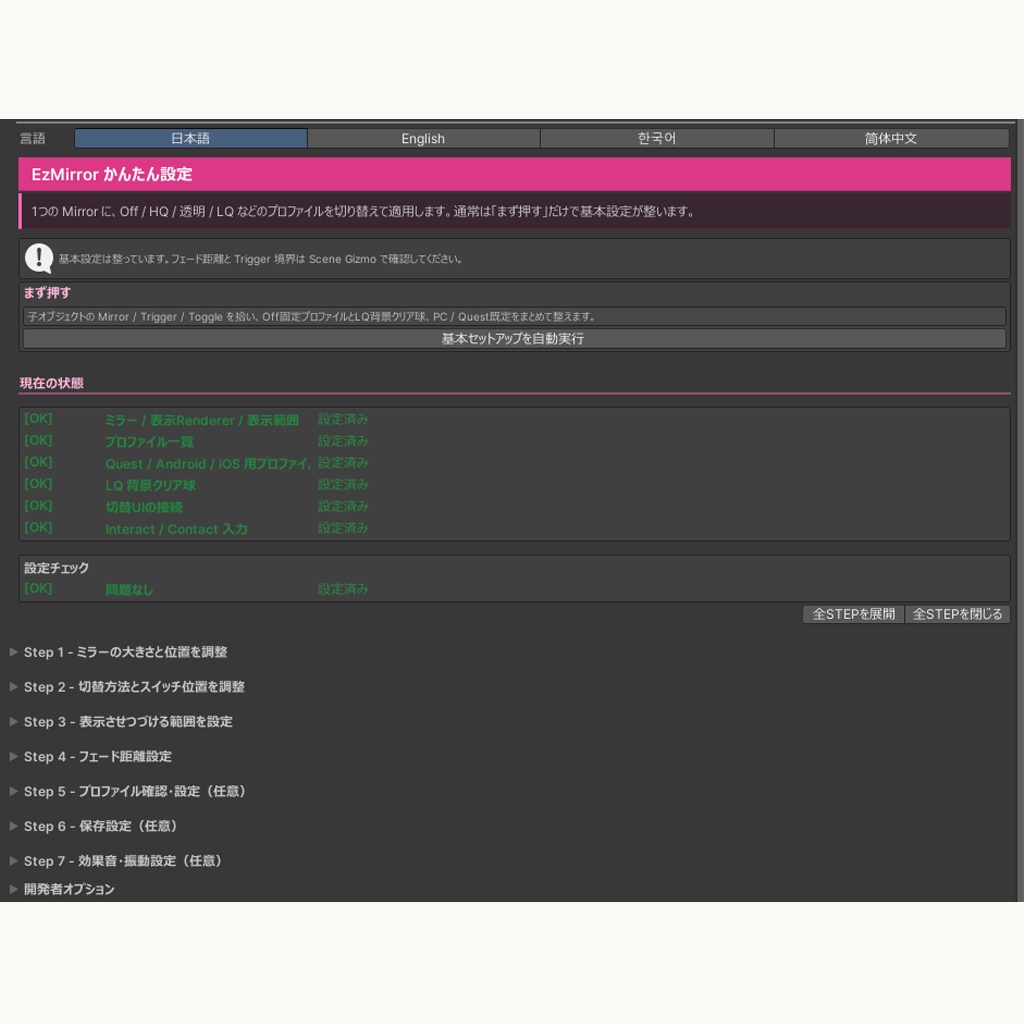
- 配置後に説明に沿って進められる、手順式の設定画面 - 基本セットアップの自動実行 - ひとつのミラーオブジェクトでオフ / 高画質 / 半透明 / 低負荷などを切り替え - プレイヤーだけ表示、半透明表示、フェード距離の調整に対応 - 種類ごとのミラー複製を抑えた、管理しやすい構成 - フェード距離用マテリアルの自動生成と、表示範囲外でのミラー自動非表示 - エディタ上でミラー面を好きなプレビュー色で表示し、位置や大きさの確認を補助 - 初期設定済みのオリジナル 3D スイッチモデルを同梱 - 画面ボタン(uGUI)・インタラクト・手の接触判定による切り替え - 切替時の効果音とコントローラー振動 - 設定アセットによる設定共有 - ミラー設定ごとのアイコン・色・透明度設定 --- - Step-by-step Inspector for setup after placing the prefab - One-click basic setup - Switch a single mirror object across Off, High Quality, Transparent, Low Load, and other profiles - Player-only display, semi-transparent display, and fade-distance adjustment - Cleaner hierarchy with fewer duplicated mirror objects - Automatic fade-distance material generation and mirror hiding outside the display range - Custom editor preview color to make the mirror position and size easier to check - Preconfigured original 3D switch model included - Switching via uGUI laser/click input, Interact action, and hand Contact - Optional sound and controller haptic feedback on switching - Shareable Profile Assets - Per-profile icon, color, and transparency settings
導入方法 / How to install
推奨: VCC / ALCOM をお使いの場合は、VPM リポジトリからの導入を強くおすすめします。 https://vpm.2aka.io/ BOOTH ダウンロード版には .unitypackage と、 VPM リポジトリ追加用ショートカットを同梱しています。 ショートカット、または上記 URL から VCC / ALCOM にリポジトリを追加し、 EzMirror をプロジェクトへ追加してください。 .unitypackage から直接インポートすることもできますが、依存関係や更新管理のため、 通常は VPM リポジトリ経由での導入をおすすめします。 基本セットアップ 1. 同梱の EzMirror.prefab をシーンへ配置します。 2. EzMirror の設定画面で「基本セットアップを自動実行」を押します。 3. 手順 1〜4 でミラー、スイッチ、表示範囲、フェード距離を調整します。 4. 必要に応じて手順 5 以降でミラー設定、保存、効果音、振動を設定します。 5. 設定チェックが「問題なし」になることを確認します。 通常は、デフォルトの高画質 / 半透明 / 低負荷設定と同梱 3D スイッチを そのまま使えます。PC 以外の環境では PC 専用設定をスキップし、 低負荷設定を使う構成にできます。 EzMirror は、ひとつのミラーオブジェクトの状態を切り替えて使います。 ワールドに複数種類のミラーを置きたい場合でも、種類ごとにミラー本体を 増やし続ける必要はありません。 --- Recommended: If you use VCC or ALCOM, install EzMirror from the VPM repository. https://vpm.2aka.io/ The BOOTH download includes a .unitypackage and a shortcut for adding the VPM repository. Use the shortcut, or add the URL above to VCC or ALCOM, then add EzMirror to your project. Direct .unitypackage import is also available, but the VPM repository is recommended for dependency and update management. Basic setup 1. Place Packages/com.niaka.ezmirror/Runtime/Prefabs/EzMirror.prefab in your scene. 2. Click Basic Auto Setup in the EzMirror Inspector. 3. Use Steps 1 to 4 to adjust the mirror, switch UI, display range, and fade distance. 4. Configure profiles, local save, sound, and haptics in the optional steps if needed. 5. Confirm that the setup check reports no problems. The default High Quality / Transparent / Low Load profiles and included 3D switch should work for most worlds. On non-PC platforms, PC-only profiles can be skipped so the Low Load profile is used. EzMirror switches modes by rewriting one mirror object's state. Even if you want multiple mirror modes in your world, you do not need to keep adding separate mirror objects for each type.
動作環境 / Tested environment
- Unity 2022.3.22f1 - VRChat Worlds SDK 3.x - UdonSharp - PC / Quest 基本対応 VCC / ALCOM で VPM リポジトリを追加し、VRChat Worlds SDK と UdonSharp が 導入済みのワールドプロジェクトを想定しています。 --- - Unity 2022.3.22f1 - VRChat Worlds SDK 3.x - UdonSharp - Basic PC / Quest support This asset assumes a world project where the VPM repository is added through VCC or ALCOM, with VRChat Worlds SDK and UdonSharp installed.
利用規約 / Terms of Service
同梱の Packages/com.niaka.ezmirror/LICENSE.txt を参照してください。 概要: - VRChat ワールドへの組み込み可 - 改変可 - クレジット表記は任意 - アセット単体の再配布・販売・転載は禁止 - Unity / VRChat SDK / UdonSharp の将来アップデートに対する完全な動作保証はありません --- Please see the included Packages/com.niaka.ezmirror/LICENSE.txt. Summary: - You may include this asset in VRChat worlds. - You may modify it for your world. - Credit is appreciated but not required. - Do not redistribute, resell, or repost the asset as a standalone asset. - Full compatibility with future Unity / VRChat SDK / UdonSharp updates is not guaranteed.
更新履歴 / Change Log
1.1.1 - ドキュメント整理のみの更新 - VPM リポジトリ経由での導入案内を追加 1.1.0 - 配布文言と制作協力クレジットを整理 - 実行時用 / エディタ用 asmdef の参照を整理 - UdonSharp パッケージとして必要なアセンブリ境界を検証で固定 1.0.5 - プレハブバリアント / シーン上の個別配置ごとに、エディタのプレビュー色を設定できるように変更 - 共有プレビュー用マテリアルや実行時 / ビルド用マテリアルには影響しない設定として整理 1.0.4 - 切り替え設定の追加・削除時に、表示/非表示オブジェクトや詳細設定が前の値を引き継いで見える場合がある問題を修正 - 古い設定データでも、未完成の表示/非表示オブジェクト設定が実行時に誤作動しないように修正 1.0.2 - 切り替え設定の変更時、複数の設定で同じオブジェクトを表示対象にしている場合の表示状態を修正 1.0.0 - 初回配布 - 手順式の設定画面、設定アセット、画面ボタン / インタラクト / 接触判定による切り替え、効果音、振動、設定チェック、生成マテリアル管理を同梱 --- 1.1.1 - Documentation-only update - Added installation guidance for the VPM repository 1.1.0 - Updated distribution copy and contributor credits - Cleaned up Runtime / Editor asmdef references - Added validation for the UdonSharp package assembly boundaries 1.0.5 - Added per-Prefab Variant / Scene instance editor preview color settings - The setting does not modify the shared preview material or runtime/build materials 1.0.4 - Fixed cases where newly added or removed profile settings could appear to reuse previous object and detail values - Incomplete profile object entries are now ignored safely at runtime, even in older setup data 1.0.2 - Fixed profile object visibility when the same object is turned on by multiple profiles 1.0.0 - Initial release - Includes step-based inspector, Profile Assets, uGUI / Use / Contact switching, sound, haptics, health check, and generated material management